
This guide covers template builder overview in Gutenburg. This is where you name your template.
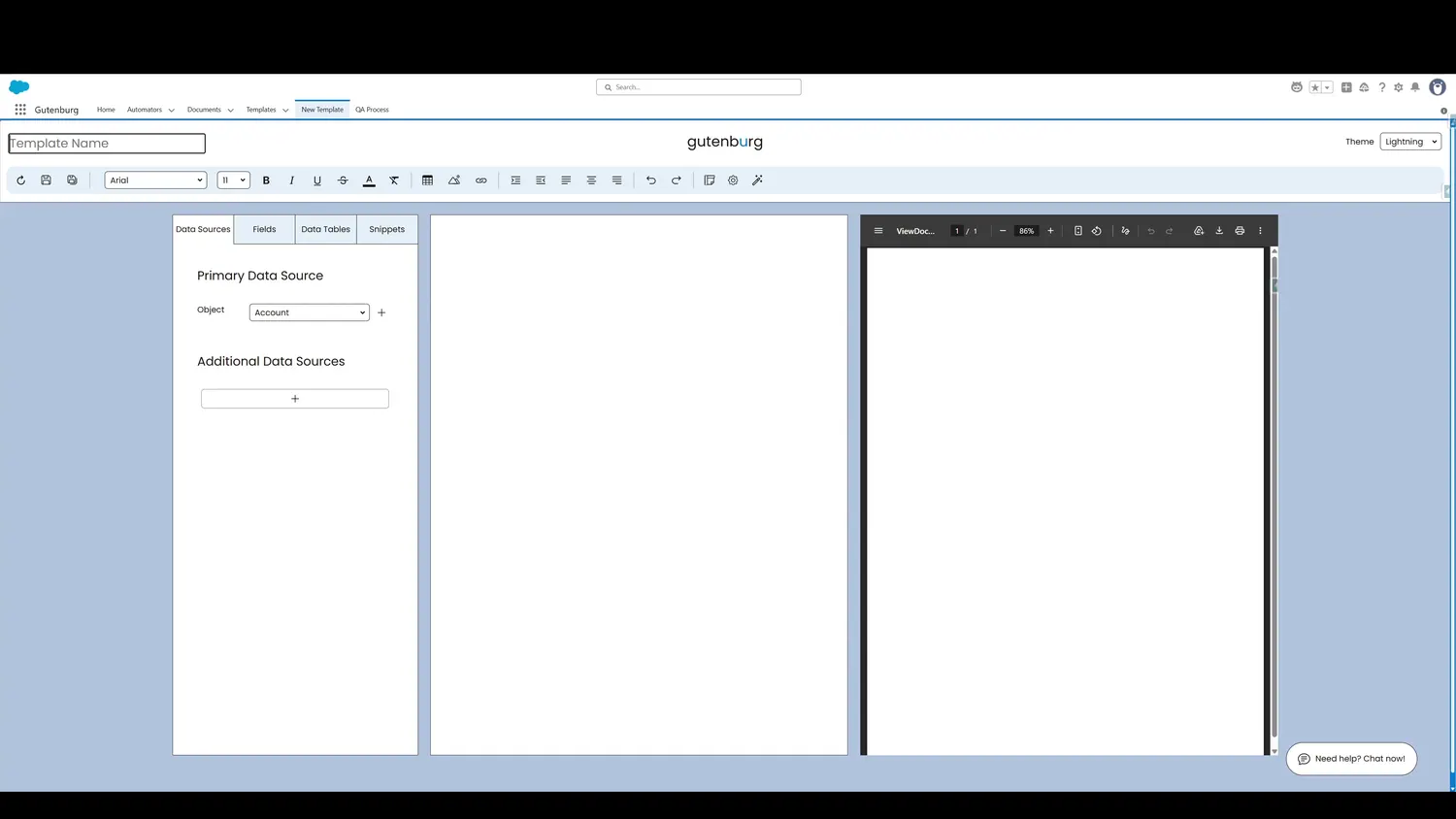
Workflow
- Template NameThis is where you name your template.
- Template ThemeYou can change the builder theme if desired.
- Template ToolbarThe toolbar allows styles to be customized.
- Template CanvasThis is where template content is put together, ranging from static text to dynamic elements.
- Dynamic ElementsThis is where dynamic behavior is defined, including source objects, fields, data tables, and more.
- Dynamic ElementsThis shows a real-time preview of the template, showing a PDF that updates as changes are made.
Controls and settings
- Template NameThis is where you name your template.
- Template ThemeSelecting a different theme changes the aesthetics of the template builder.
- Template ToolbarThe toolbar allows styles to be customized.
- Template CanvasThis is where template content is put together, ranging from static text to dynamic elements.
- Dynamic ElementsThis is where dynamic behavior is defined, including source objects, fields, data tables, and more.
- Preview PaneThis shows a real-time preview of the template, showing a PDF that updates as changes are made.