
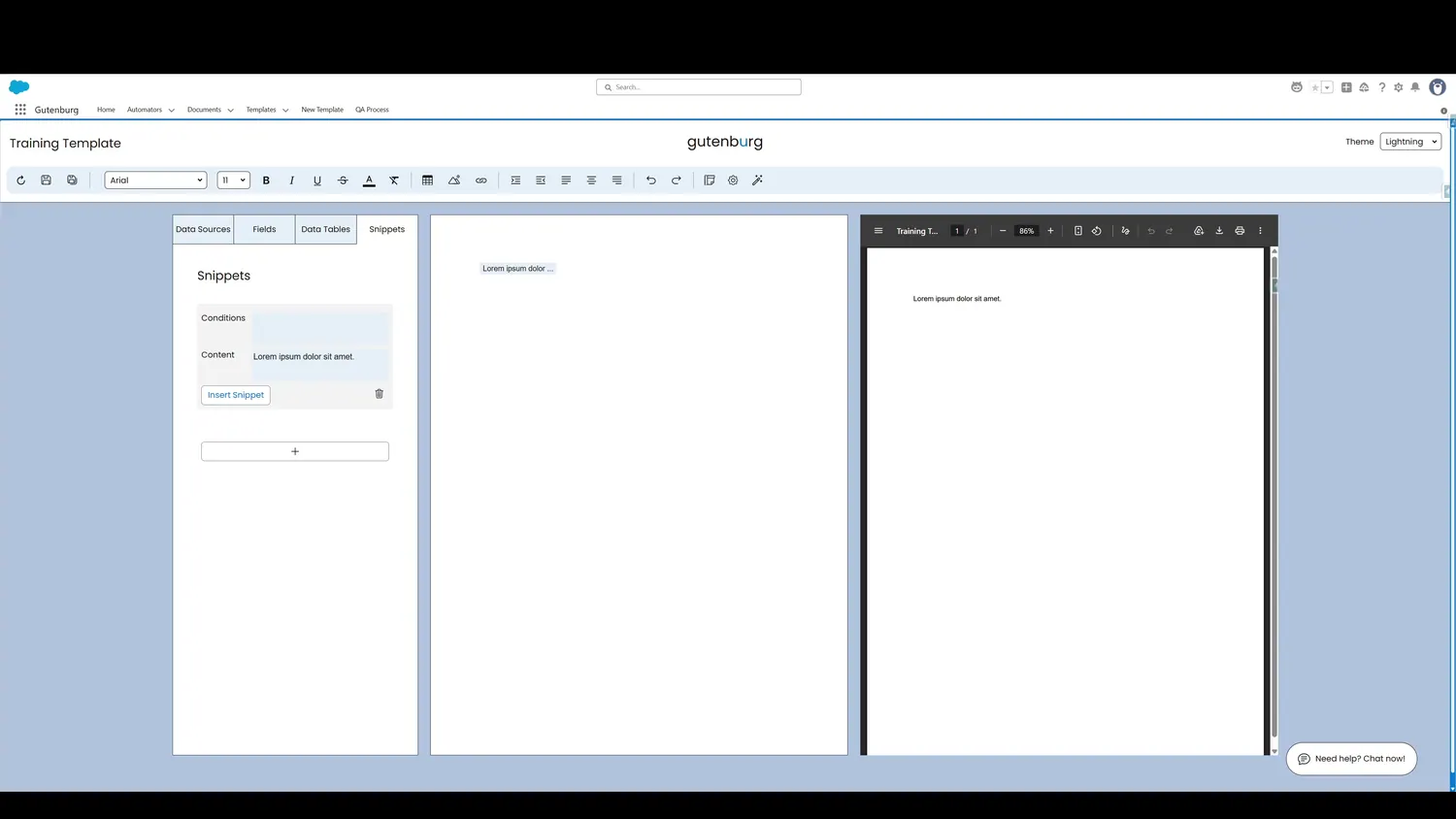
This guide covers add conditions to a snippet in Gutenburg. A Snippet can also have conditions applied, making the inclusion of the content rule-driven.
Workflow
- Snippet ConditionA Snippet can also have conditions applied, making the inclusion of the content rule-driven.
- Build a Snippet ConditionBuilding a condition is easy. It can be simple or complex, permitting a variety of different use cases.
- Build a Snippet ConditionIn this case, a condition is built that will only include the Snippet is the record's Billing State is Arizona.
Controls and settings
- Snippet ConditionA Snippet can also have conditions applied, making the inclusion of the content rule-driven.
- Build a Snippet ConditionBuilding a condition is easy. It can be simple or complex, permitting a variety of different use cases.
- Build a Snippet ConditionIn this case, a condition is built that will only include the Snippet is the record's Billing State is Arizona.
How this fits into a template
Snippets are reusable content blocks. They can be inserted multiple times and can use conditions to determine whether their content appears.