
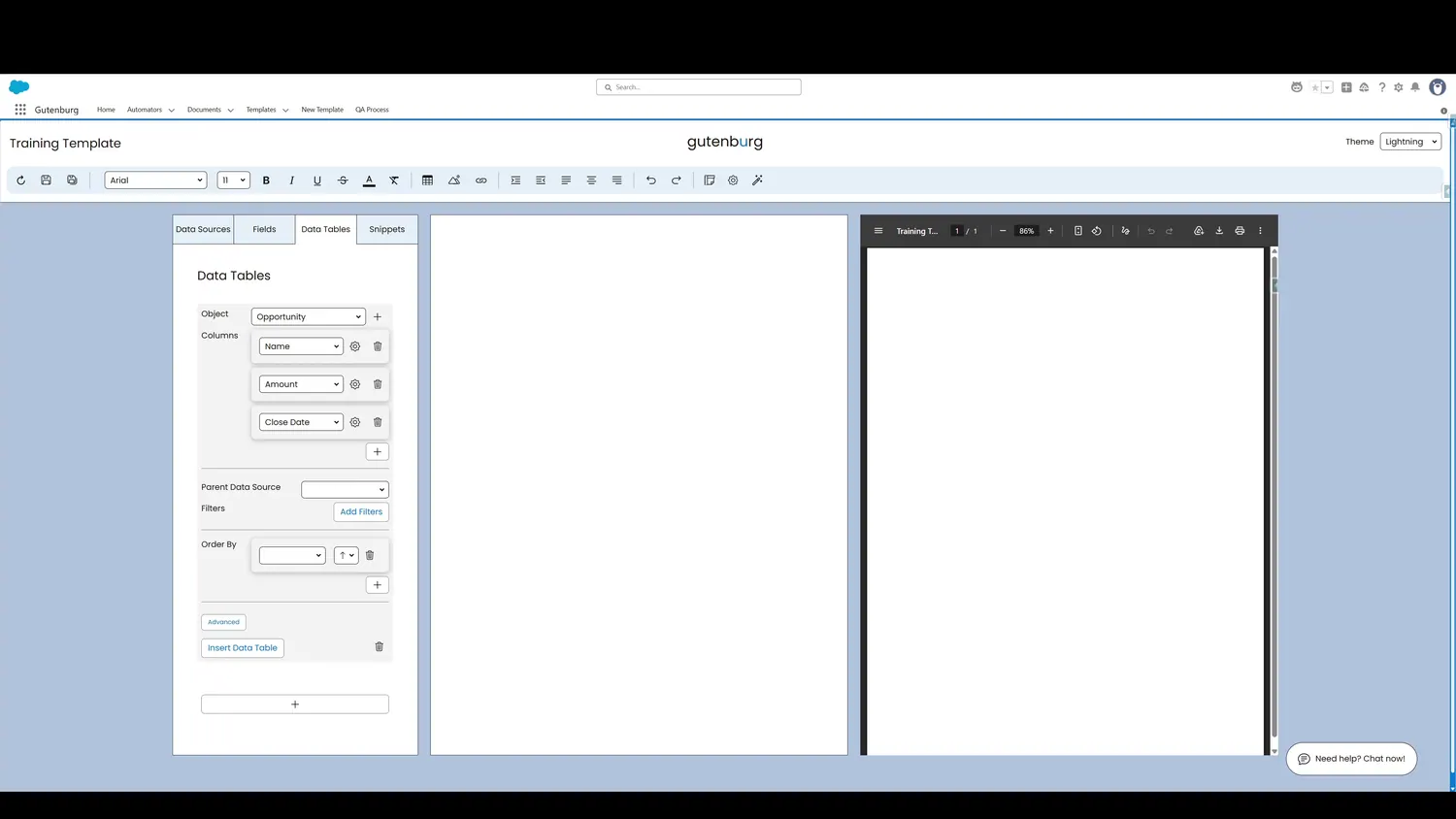
This guide covers format data table values in Gutenburg. Some fields, like numbers and dates, may need to be formatted in specific ways. To control the formatting, click the gear icon.
Workflow
- Column FormatSome fields, like numbers and dates, may need to be formatted in specific ways. To control the formatting, click the gear icon.
- Column FormatOnce clicked, a dropdown containing preformatted options is presented.
- Advanced Column FormatThe format is now selected. If further customization is required, click the gear icon next to the format dropdown.
Controls and settings
- Column FormatSome fields, like numbers and dates, may need to be formatted in specific ways. To control the formatting, click the gear icon.
- Column FormatOnce clicked, a dropdown containing preformatted options is presented.
- Advanced Column FormatSome fields, like numbers and dates, may need to be formatted in specific ways. To control the formatting, click the gear icon.
How this fits into a template
Data Tables are designed for repeating Salesforce record data. The tour demonstrates object selection, columns, formatting, parent-source filtering, additional filters, ordering, insertion, preview, and cell-level styling.