
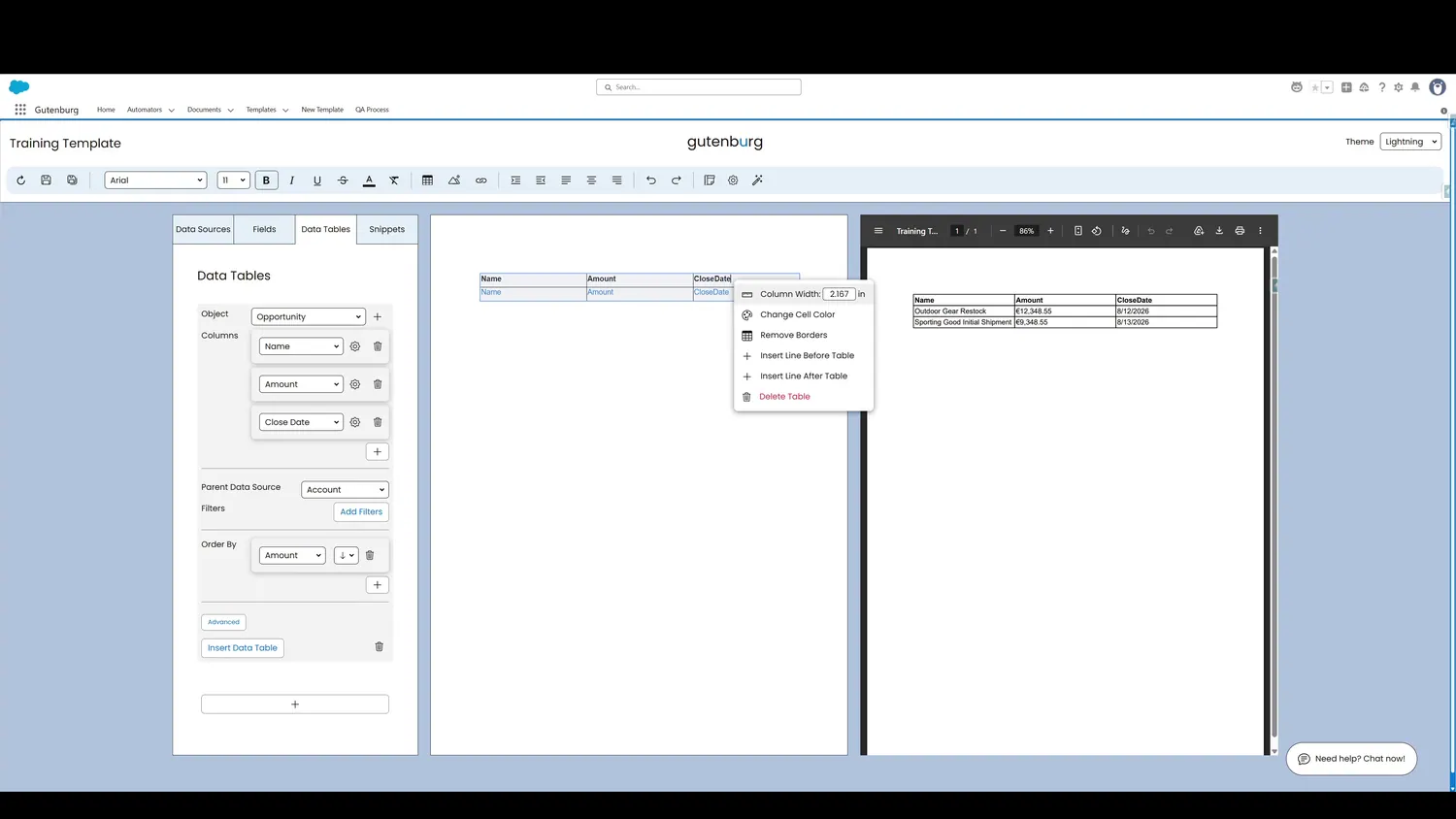
This guide covers style data table cells in Gutenburg. Additional customizations can be made to a Data Table by right-clicking it in the canvas.
Workflow
- Data Table Cell SettingsAdditional customizations can be made to a Data Table by right-clicking it in the canvas.
- Data Table Fully CustomizedCell colors, column widths, and more can be customized, allowing the Data Table to match exact formatting specifications.
Controls and settings
- Data Table Cell SettingsAdditional customizations can be made to a Data Table by right-clicking it in the canvas.
- Data Table Fully CustomizedCell colors, column widths, and more can be customized, allowing the Data Table to match exact formatting specifications.
How this fits into a template
Data Tables are designed for repeating Salesforce record data. The tour demonstrates object selection, columns, formatting, parent-source filtering, additional filters, ordering, insertion, preview, and cell-level styling.