
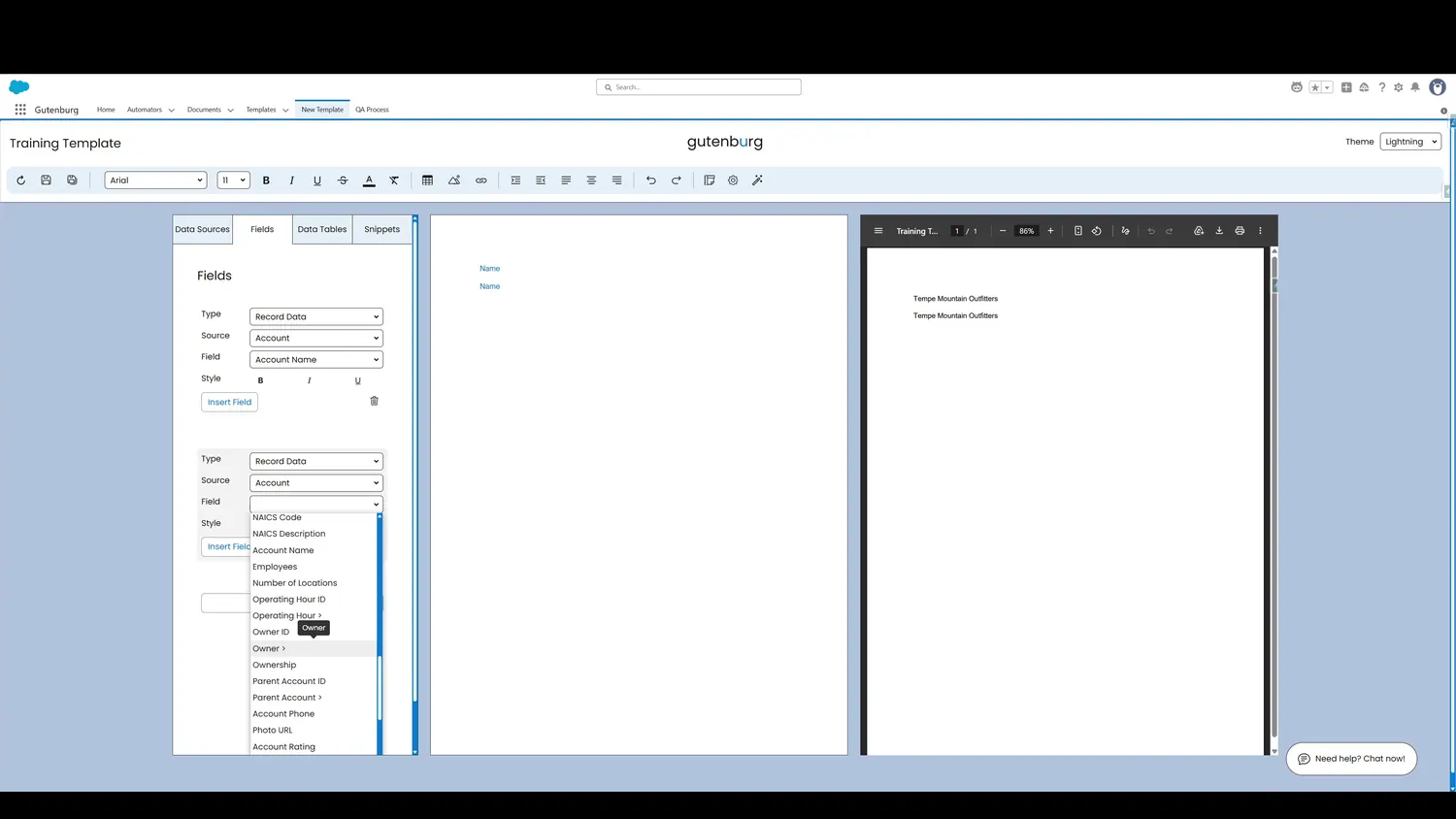
This guide covers navigate related salesforce fields in Gutenburg. Any field followed by a carat can be expanded. Click on the entry to show all of the other object's fields.
Workflow
- Second Field ExpandedAny field followed by a carat can be expanded. Click on the entry to show all of the other object's fields.
- Second Field ExpandedAll of the fields from the related record are now available for selection. Click to select a field.
Controls and settings
- Second Field ExpandedAny field followed by a carat can be expanded. Click on the entry to show all of the other object's fields.
- Related Record FieldsAll of the fields from the related record are now available for selection. Click to select a field.