
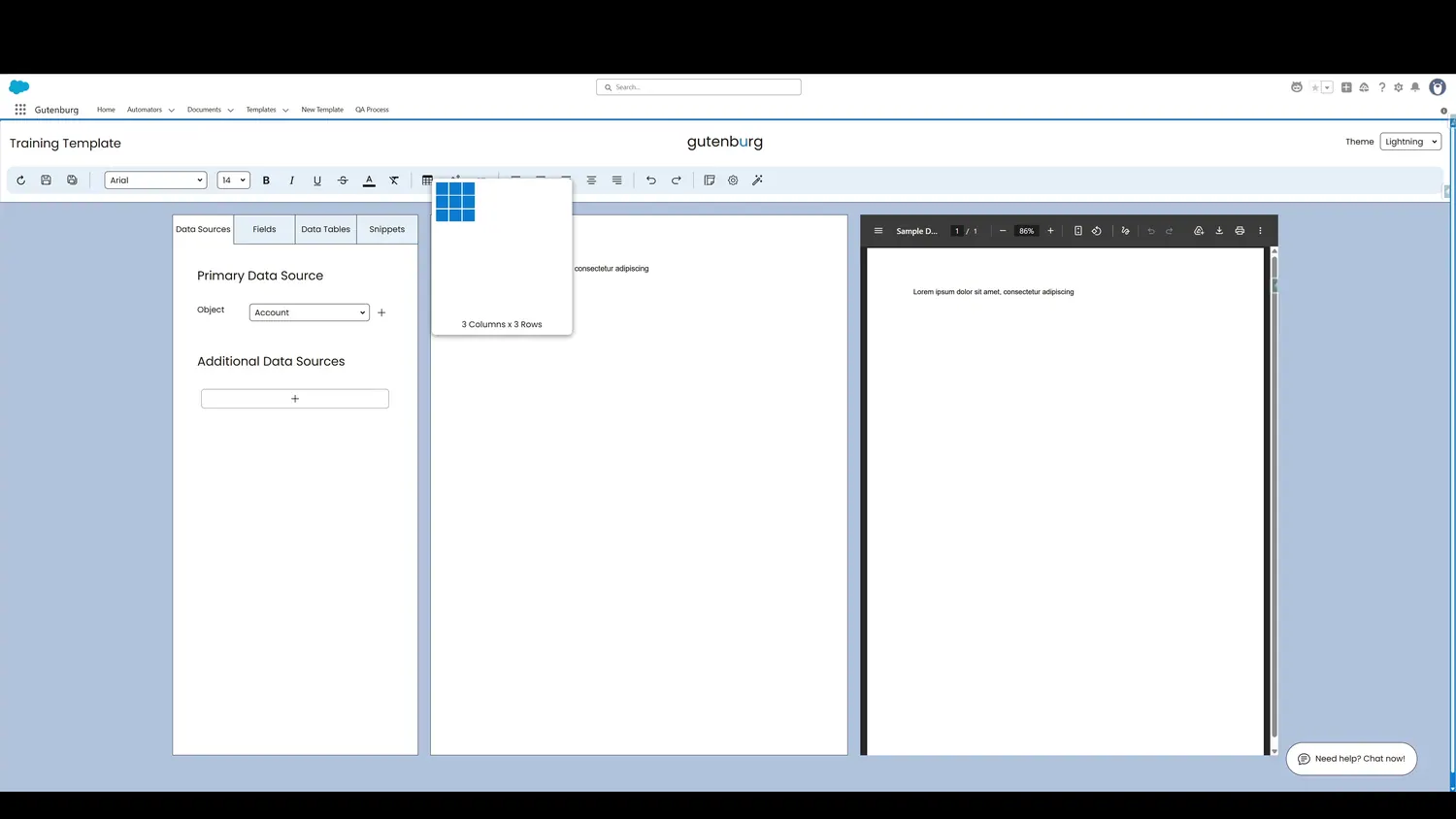
This guide covers insert a fixed table in Gutenburg. Drag your cursor to select the desired table dimensions. This example features a 3 column, 3 row table.
Workflow
- Table DimensionsDrag your cursor to select the desired table dimensions. This example features a 3 column, 3 row table.
- Table InsertedAfter click, the table is added to the template.
Controls and settings
- Table DimensionsDrag your cursor to select the desired table dimensions. This example features a 3 column, 3 row table.
- Table InsertedAfter click, the table is added to the template.